All articles
CRM and Operations16 June 20267 min read

Custom CRM vs HubSpot for Australian SMBs: when does a build pay off?

HubSpot and Pipedrive are the right answer more often than not. Here is when an Australian SMB genuinely outgrows them and a custom CRM starts to pay back.

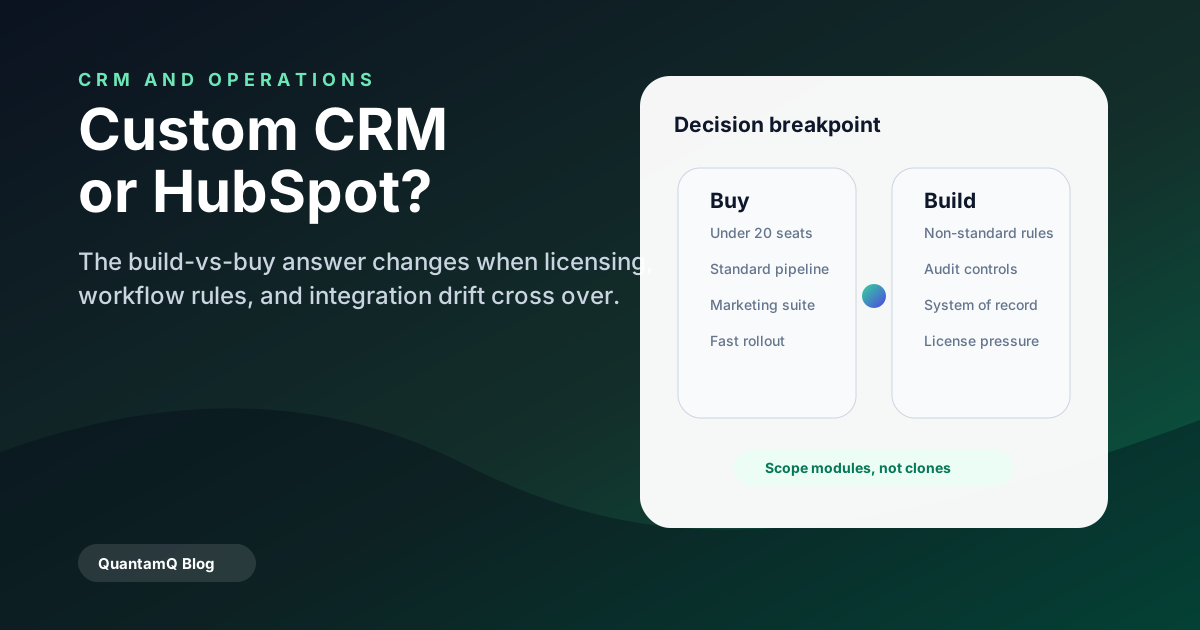
Decision map comparing off-the-shelf CRM and custom CRM breakpoints.

Off-the-shelf is the right default

For most Australian SMBs in 2026, HubSpot, Pipedrive, or Zoho are the right starting point. They are cheaper than they look, integrate widely, and absorb most early-stage growth without breaking.

The cost of a custom CRM is almost never the build — it is the long tail of features the off-the-shelf product gives you for free (email tracking, sequences, mobile apps, reporting, SOC 2 posture).

The signs a custom CRM will actually pay off

A custom CRM starts to make sense when one or more of the following are true:

  • Your sales or fulfilment process is materially different from how HubSpot models a deal — multi-party approvals, recurring milestone billing, regulated handovers.
  • Per-seat licensing costs are climbing past A$50,000 per year and you are still bolting custom apps onto the side.
  • Core business data lives in a system the CRM has to mirror, and the integration cost is approaching the build cost.
  • You operate in a regulated industry where data residency, audit trails, or RLS controls cannot be satisfied by an off-the-shelf tenant.

How to scope a custom CRM without overbuilding

The mistake most teams make is trying to rebuild every HubSpot feature. The right scope is usually three to five modules that map exactly to your business — accounts and contacts, a deal or job pipeline, a quoting workflow, a fulfilment or operations view, and reporting.

Everything else (email, calendar, marketing) should stay in best-of-breed tools the custom CRM integrates with, not replaces.

Frequently asked questions

How much does a custom CRM cost in Australia?

A focused first version typically runs A$45,000–A$120,000 in 2026 depending on integrations and reporting depth. The right comparison is not against HubSpot licence cost alone — it is against licence + custom-app maintenance + integration drift over three years.

Can a custom CRM be built on top of an existing tool?

Sometimes. We have built custom workflow layers on top of HubSpot, Airtable, and Notion when the gap was workflow rather than data model. That is often a faster, cheaper first step than a full rebuild.
Share
Start a project brief

More from the blog

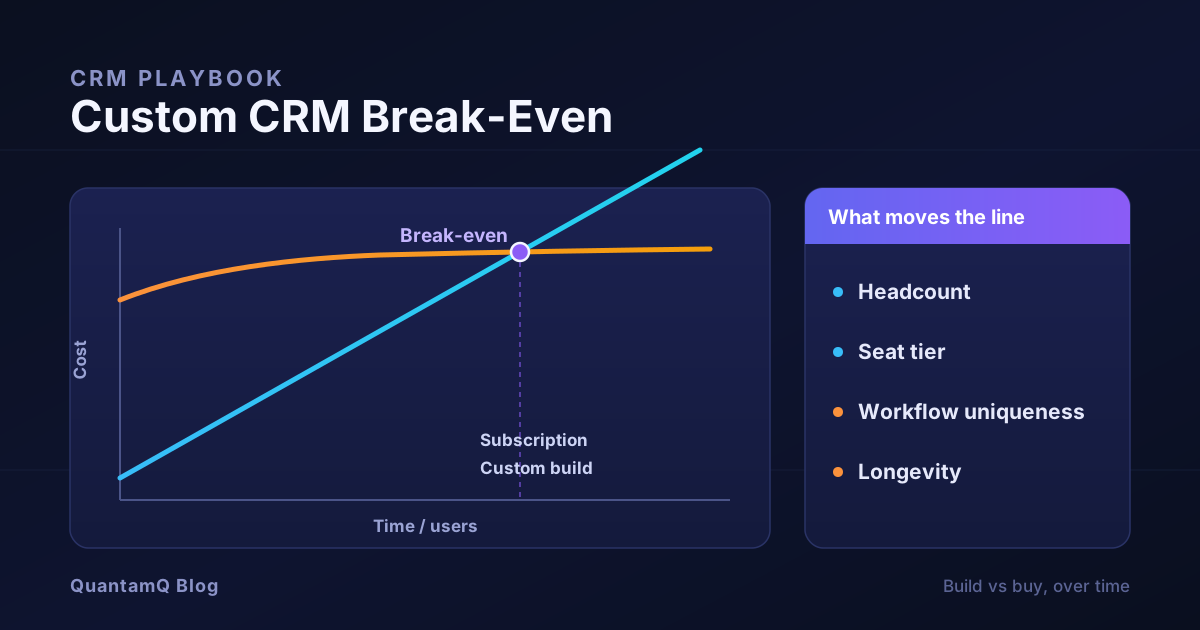
Custom CRM Break-Even: When Building Actually Pays Off
Break-even chart comparing two CRM cost curves over time: a subscription line that rises steadily with users against a custom build line that starts high then flattens to a low maintenance slope, with a marked crossover point and a decision panel listing the variables that move it.
CRM and Operations8 min

Custom CRM Break-Even: When Building Actually Pays Off

Most build-versus-buy CRM advice ends in a feature table. This one gives you the payback maths instead: the two cost curves to compare, a simple way to find your break-even point, the variables that move the line, and the costs the quick calculation always misses — so you can decide whether a custom CRM actually pays off for your team.

Read article
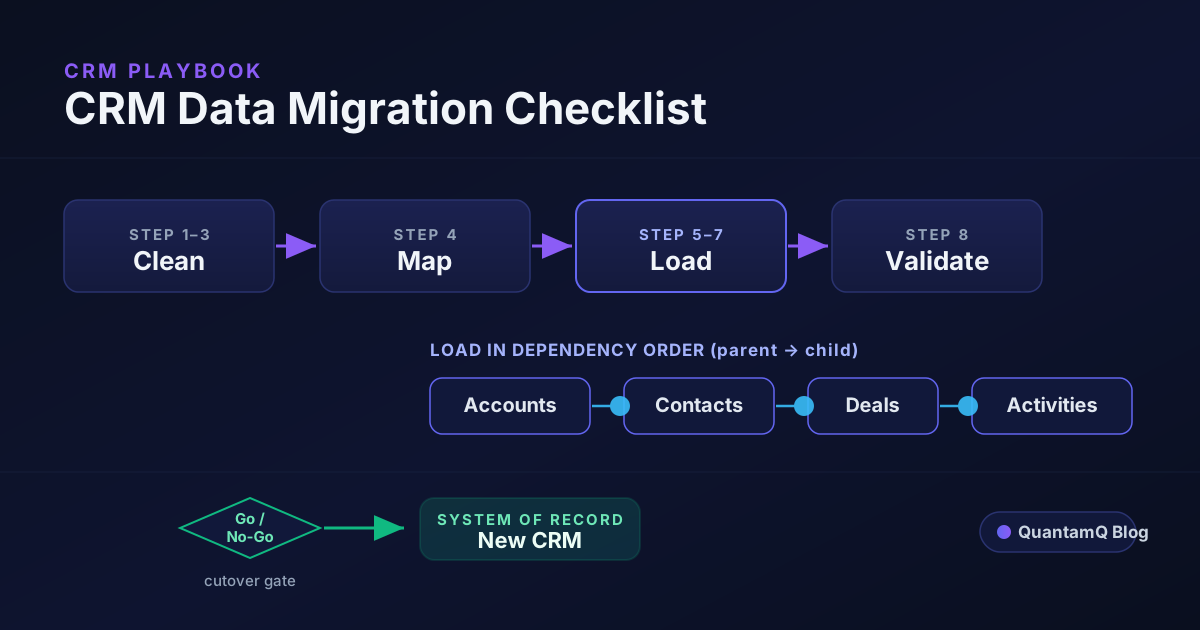
CRM Data Migration Checklist: A Practical 10-Step Plan
CRM data migration diagram showing the four phases — clean, map, load in dependency order, validate — with an object load sequence of accounts, contacts, deals and activities and a go or no-go cutover gate.
CRM and Operations8 min

CRM Data Migration Checklist: A Practical 10-Step Plan

Most CRM migrations fail on dirty data and wrong load order, not on the export button. Here is a practical CRM data migration checklist — what to clean first, how to map fields, the object load sequence that prevents orphaned records, and the validation gate to pass before you cut over.

Read article
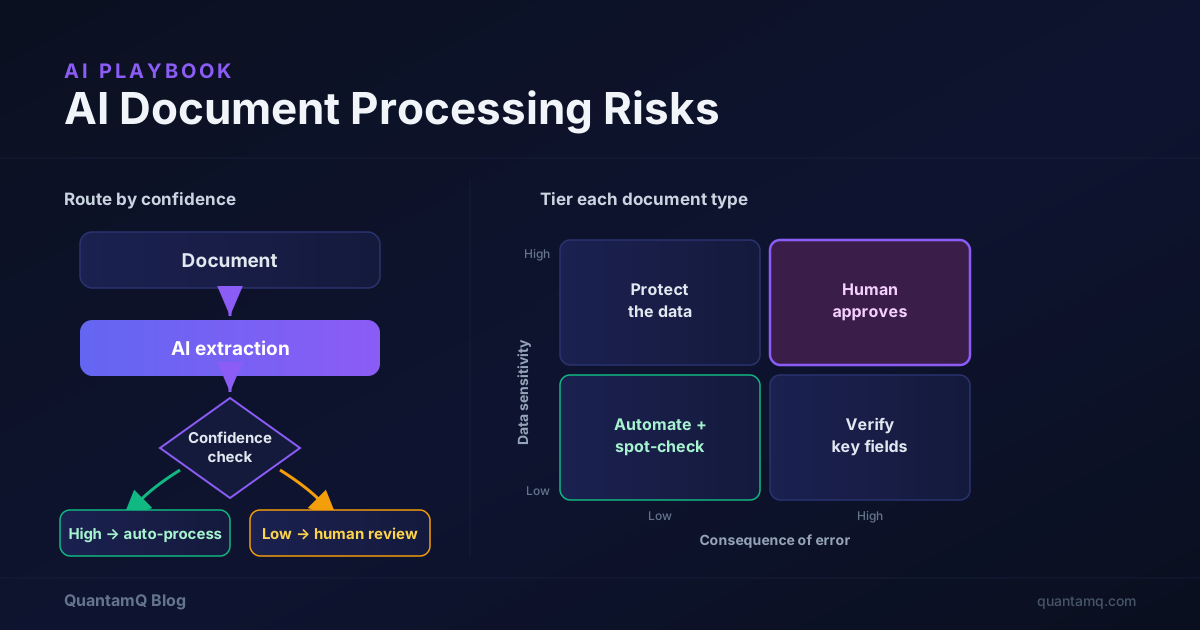
AI Document Processing Risks: What Small Teams Must Control
AI document processing risk diagram: a document flows through AI extraction to a confidence check that routes high-confidence results straight through and low-confidence or sensitive results to human review, beside a two-by-two risk tier matrix of data sensitivity against consequence of error.
AI and Automation8 min

AI Document Processing Risks: What Small Teams Must Control

AI can read invoices, contracts, and forms faster than any person — and get them confidently wrong. This is a practical guide to the AI document processing risks that often create problems for small teams, with a way to tier your documents by sensitivity and consequence of error, decide where a human stays in the loop, and roll it out without quietly creating a data or compliance problem.

Read article