Where AI document processing helps, and where it bites
AI can help turn document contents into a draft record: an invoice reference, a date, a set of line items or a summary for someone to review. The useful unit of work is the whole handoff, from receiving the file to accepting a checked result.
Define that handoff before selecting a model. Who supplies the document? Which fields matter? Where will the result go? Who can correct it? If a normal form, an existing integration or a deterministic rule solves the task reliably, a custom AI build may not be justified.
A demonstration with a clean PDF does not establish how the workflow handles missing pages, unreadable scans or a new layout. Include those cases in the evaluation, along with the ordinary documents the team actually receives.
Risks to control before connecting another system
| Risk | A practical control to include in scope |
|---|---|
| A plausible but incorrect field | Show the source page or region beside the extracted value; check required fields, formats and relevant cross-field rules |
| Missing information is filled in as a guess | Preserve a missing or unreadable state and route it to a named reviewer |
| Data reaches an unsuitable service or audience | Agree permitted inputs, processing locations, access, retention and deletion before using real documents |
| A result is duplicated or lost during a handoff | Identify each input and each downstream operation; handle retries without silently creating another record |
| An exception queue becomes unmanageable | Define the reviewer, escalation route and manual fallback; measure queue age and correction effort |
| An LLM follows instructions embedded in a document | Treat document contents as untrusted data and restrict the operations the application can perform |
The final risk applies when an LLM reads document content as part of its instructions or tool workflow. OWASP describes indirect prompt injection through documents and attachments. Its guidance supports limited permissions and approval checks for consequential tool actions; filtering suspicious wording alone is insufficient. These controls reduce exposure, but do not prove an application immune. OWASP guidance.
Tier your documents before you automate
Consider two separate questions: how sensitive is the information, and what happens if the result is wrong? A document's label does not answer either question. An invoice may contain personal or banking information; an internal note may also be confidential.
| Information and consequence | Starting approach for evaluation |
|---|---|
| Low sensitivity, low consequence | Evaluate a narrow extraction task and retain checks and sampling before considering limited automatic use |
| Low sensitivity, high consequence | Verify the fields that drive the decision and require approval before that action |
| High sensitivity, lower consequence | Establish data-access and processing controls as well as accuracy checks |
| High sensitivity, high consequence | Keep the proposed result as an aid to an authorised person's review and decision |
These are scoping choices, not a declaration that a particular document is safe to automate. Define the classification with the people responsible for the workflow.
Keep a human in the loop where it counts
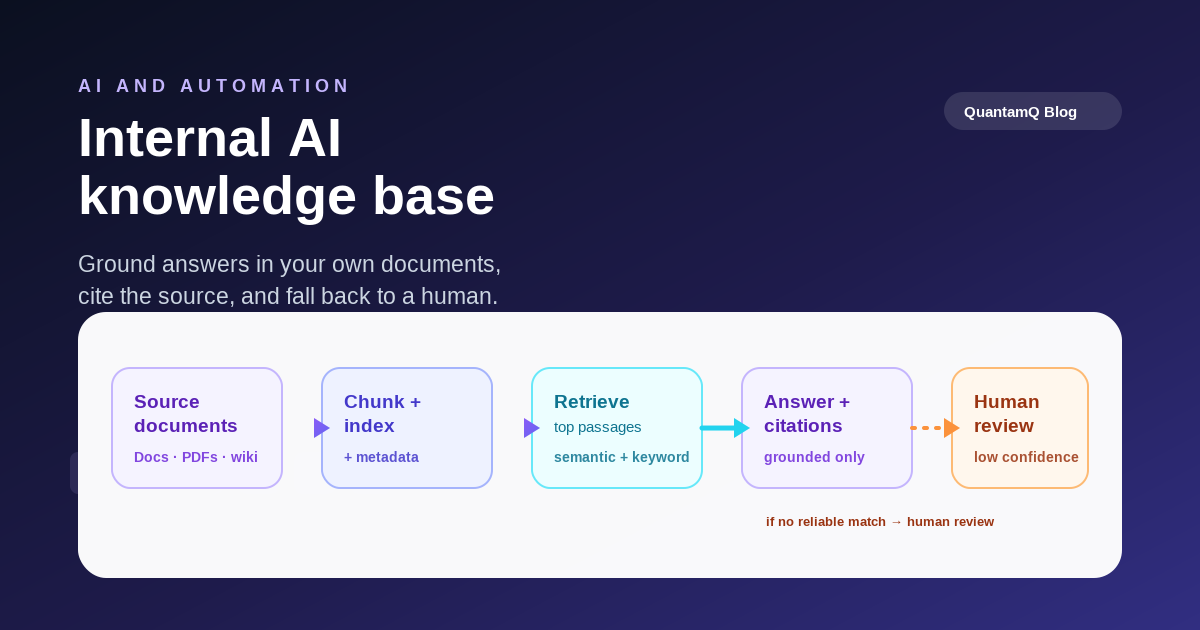
For a first pilot, keep outputs in a review or test destination. Give the reviewer the source, extracted fields, failed checks and an explicit choice to approve, correct or reject. Record that decision before an approved handoff occurs.
Some extraction services provide field-level confidence estimates; availability and meaning depend on the model and output. Microsoft documents that not every field returns a score and that document variations affect performance. Check the tool's documentation and assess its signals against representative examples rather than adopting a universal threshold. Microsoft confidence guidance.
A missing score does not prevent review: required-field checks, source comparison and business rules can still identify exceptions. A high score should not override a failed check or the approval needed for a consequential action. If limited automatic use is later proposed, define the eligible cases and review their observed errors separately.
Illustrative workflow — not a client result
Consider a prototype that creates a draft record from a supplier invoice. It reads the reference, date, currency, total and agreed line-item fields. It shows those values beside the document and checks the required fields, totals and duplicate reference.
If the total is missing, the currency conflicts with the approved record or a page is unreadable, the item stays in review. If the source repeats, the workflow identifies the existing item rather than creating another. If a destination update fails, it records the failure and allows a controlled retry.
The reviewer can correct the draft and approve the record handoff. This example excludes payment execution and changes to supplier banking details. Neither an extracted value nor a model's confidence grants those permissions.
Questions to ask before you send documents to any AI tool
- Which document types and fields are permitted, and what must be removed first?
- Where are inputs, outputs and logs processed and stored? Who can access them?
- What do the current provider terms say about retention, deletion and model training?
- What source evidence and validation signals can the reviewer inspect?
- Which operations can the integration perform, and which require separate approval?
- Who owns failed processing, rejected outputs and the manual fallback?
Check the answers for the actual configuration and applicable organisational requirements. Local processing does not by itself establish that access, retention or downstream handling is suitable. Begin the scoping conversation with a description; agree a suitable sharing method before exchanging confidential examples.
A controlled way to roll it out
Use a labelled evaluation set with ordinary cases and relevant variations. Keep a separate set for evaluating changes, so repeatedly adjusting to the same examples does not become the only evidence of success. Agree expected results and acceptance targets before inspecting the pilot's output.
| Evaluate | Record before deciding to proceed |
|---|---|
| Important-field correctness | Correct fields / evaluated fields, by field and document type, with the sample sizes |
| Incorrect results accepted for use | Incorrect accepted items / all accepted items; also inspect which important errors escaped review |
| Exception handling | Missing, unreadable, unfamiliar and conflicting cases reach the correct review state |
| Reviewer effort | Review time, correction effort and queue age, compared with the current process |
| Integration behaviour | Duplicate input, failed update and retry produce the intended record state without duplicate actions |
| Traceability and access | A reviewer can find the source and decision history; users cannot access documents outside their permitted scope |
No single accuracy percentage answers all of these questions. Set targets for the particular workflow and explain the evaluation's coverage and limits. A small set of artificial cases can test routing logic; it does not establish production accuracy.
Proceed when the agreed criteria are met and the people operating the workflow can handle its exceptions. Otherwise narrow the scope, improve the controls or stop. After release, monitor changes in document layouts, error patterns and review workload, and keep a usable manual fallback.
Frequently asked questions
What are the main risks of AI document processing?
Incorrect or missing fields, unsuitable data handling, failed handoffs, excessive review work and unauthorised actions. LLM-based workflows also need controls for instructions embedded in the documents they read.
Is AI accurate enough to process documents without a human checking?
That depends on the task, evidence and consequences. Start with reviewed outputs. Consider limited automatic use only for defined cases that meet agreed evaluation criteria, with monitoring and a way to handle exceptions.
Is it safe to use AI to process documents with personal or sensitive data?
There is no blanket answer. Establish the permitted data, processing arrangement, access, retention and applicable requirements before using real files. A successful demonstration does not establish those conditions.
How do I reduce the risk of AI document processing errors?
Define important fields, keep source evidence, validate the result, route exceptions and test the whole handoff. Measure important errors and reviewer effort as well as overall correctness.
What is human-in-the-loop document processing?
It is a workflow in which a person can inspect the source and proposed result, then approve, correct or reject it before the relevant action. It needs a clear owner and decision record, not just a review button.
Describe one document workflow, its inputs, the result you need and the mistakes that matter. QuantamQ can help assess feasibility and scope a focused first release. Share a description first; confidential files can follow through an agreed channel.