Why most AI projects stall before they ship
Most AI projects we audit fail for the same reason: the team picked a model before they picked a problem. They imagined "AI in our product" instead of "AI inside this specific workflow that costs us six hours a week".
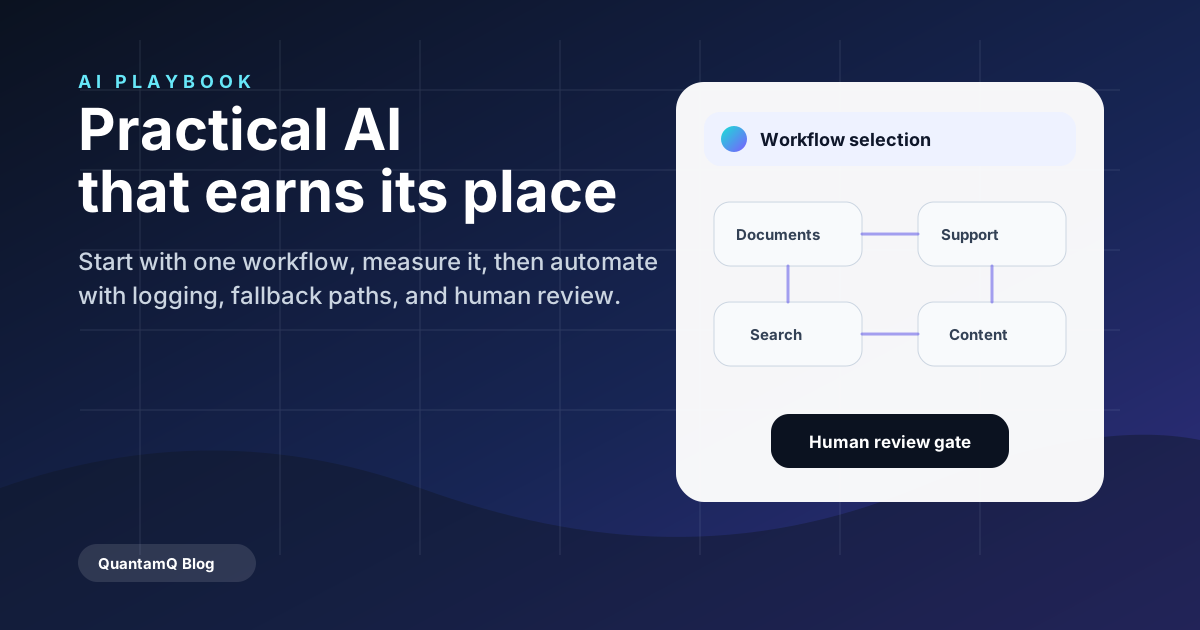
The fix is unglamorous. Pick one workflow. Measure how long it takes today. Then design the smallest AI-assisted version that beats it.
The four workflows where AI pays back first
For an Australian SMB starting with AI in 2026, four use-cases consistently return value within the first quarter:
- Document handling — extracting structured fields from PDFs, invoices, contracts, and emails.
- Support triage — classifying inbound tickets, drafting first responses, and routing escalations.
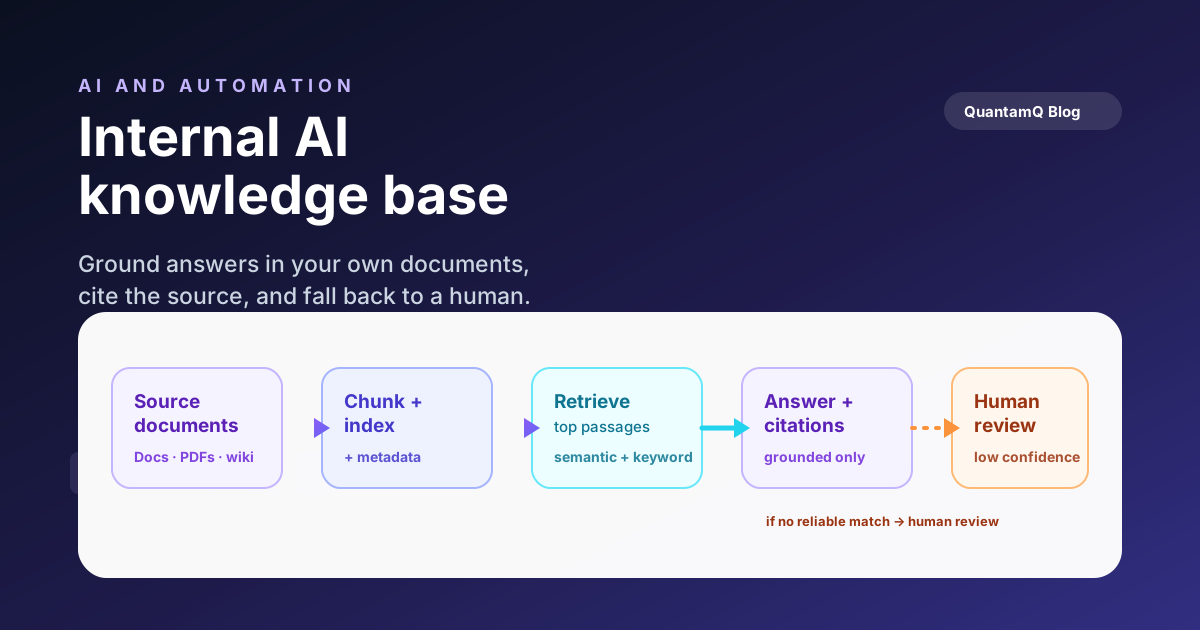
- Internal search — letting staff ask natural questions across SharePoint, Notion, Google Drive, or a CRM.
- Content support — drafting first versions of proposals, briefs, and status updates from structured inputs.
Patterns to avoid
Avoid open-ended chat surfaces that promise everything and own nothing. They generate a lot of demos and very little business value.
Avoid pushing AI into customer-facing channels before you have evaluated the failure modes. Wrong answers given confidently are worse than no answer.
Avoid model-first thinking. Pick the workflow, then choose the model. A small fine-tuned classifier often beats a large general model on a narrow task.
How we approach AI builds
At QuantamQ we usually start with a one-week feasibility: we map the workflow, run a thin prototype against your real data, and report back with a recommendation — proceed, change scope, or stop. That single week saves most clients far more than it costs.
If we proceed, we build with safety, logging, and fallback paths from day one. AI should be observable and replaceable, not a black box.
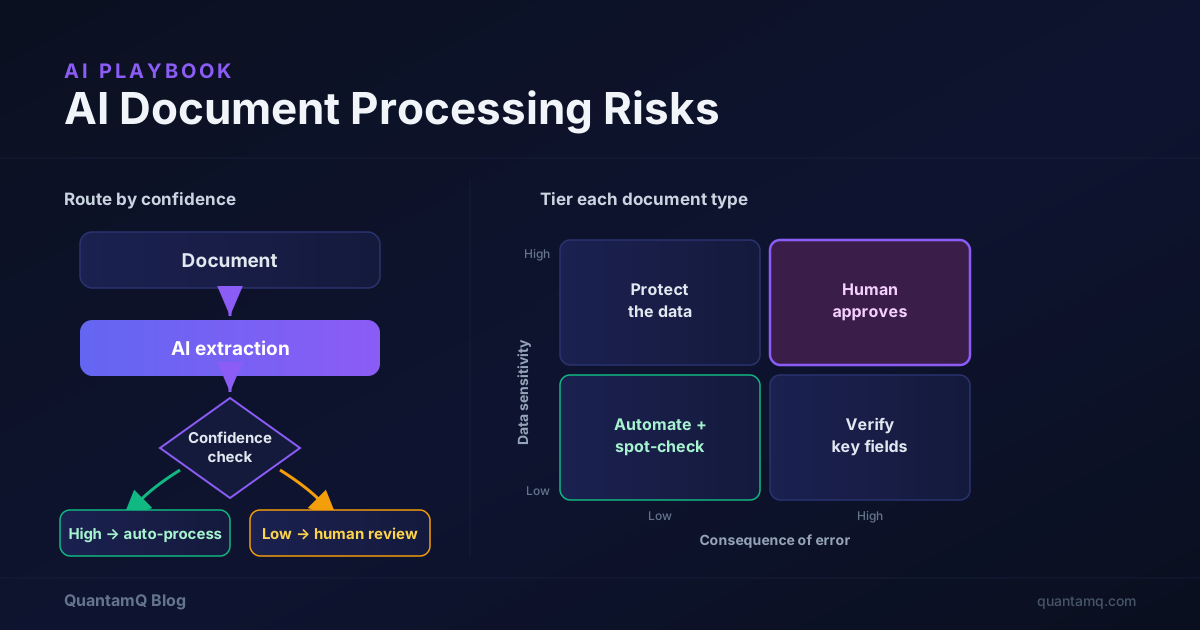
Two of these workflows have their own deeper playbook. If internal search is your first move, our internal AI knowledge base checklist walks through the retrieval setup step by step. If document handling is the priority, read the AI document processing risks first — accuracy and privacy failures are the ones that cost real money.
Frequently asked questions
How much does an AI prototype cost for an Australian SMB?
A scoped prototype that proves or disproves a single workflow typically runs A$4,000–A$12,000 depending on data complexity and access. The point of a prototype is to make the next decision cheap, not to ship production.
Do we need our own infrastructure to run AI?
Not for most SMB workflows. Hosted model APIs from providers like OpenAI, Anthropic, and Google handle the heavy lifting. We help you choose between hosted, hybrid, and self-hosted based on data sensitivity, cost ceilings, and latency needs.
How do we keep customer data safe with AI?
Three controls do most of the work: redact or tokenise sensitive fields before sending to a model, choose providers with appropriate data-handling commitments, and log inputs and outputs so you can audit the workflow.
Which AI use case should a small business start with first?
Start with the workflow that costs you the most repetitive hours and has a clear right answer to check against. For most small businesses that is document handling (extracting fields from PDFs, invoices, and emails) or support triage (classifying and routing inbound tickets). Both are measurable, low-risk, and easy to run behind a human review step — so you can prove value before spending more.
Is AI worth it for a small business in 2026?
Yes, when it targets a specific workflow rather than a vague "AI transformation". The pattern that pays back is narrow: pick one task that takes measurable hours each week, build the smallest AI-assisted version that beats the manual process, and keep a fallback for when the model is unsure. Open-ended chat tools that promise everything and own no single workflow are where budgets get wasted.