Alongside our client work, we build our own software. Explore PacketSense for packet investigation and SlashFlow for repeat work in Chrome.
Packet captures hold the truth. PacketSense makes it findable.
Network and security teams live in packet data — but the answers are buried in raw rows, flags, ports, timings and streams. PacketSense keeps that evidence inspectable while adding the structure analysts need to move from a signal to a defensible conclusion.
It runs as a desktop app for macOS, Windows and Linux, and it’s designed so sensitive captures never have to leave the analyst’s machine to get useful answers.
Local-first by default
The capture stays with the analyst unless an enterprise explicitly enables a workflow that sends selected data elsewhere.
- Raw captures are processed on the analyst’s machine by default
- Sessions and reports are local files the analyst controls
- License checks and intelligence updates never upload capture data
- Optional cloud AI stays off unless an enterprise enables it
A full investigation surface.
Every capability keeps packet-level traceability, so findings stay defensible from first triage to final report.
Packet Log
Filter, inspect and classify packets — protocol details and packet bytes — without losing the raw frame.
Stream views
Reconstruct HTTP/TCP/UDP-style conversations where the capture supports it, and stay honest about the gaps.
Flexible import
PCAP / PCAPNG files, live capture, and text-based evidence like FortiGate-style logs and hex dumps.
Local Analyst Assistant
Plain-language summaries and suggested next steps — every finding linked back to specific packets.
Threat hunting
Anomaly summaries, local rules and threat-intelligence enrichment where it’s enabled.
Enterprise controls
Seat and device management, policy, local-only mode and cloud-AI governance for teams.
See PacketSense in action.
PacketSense is in active pilot. Explore the product, or talk to QuantamQ about pilot access for your team.
 Available on Chrome
SlashFlow: from a reviewed profile to CSV.
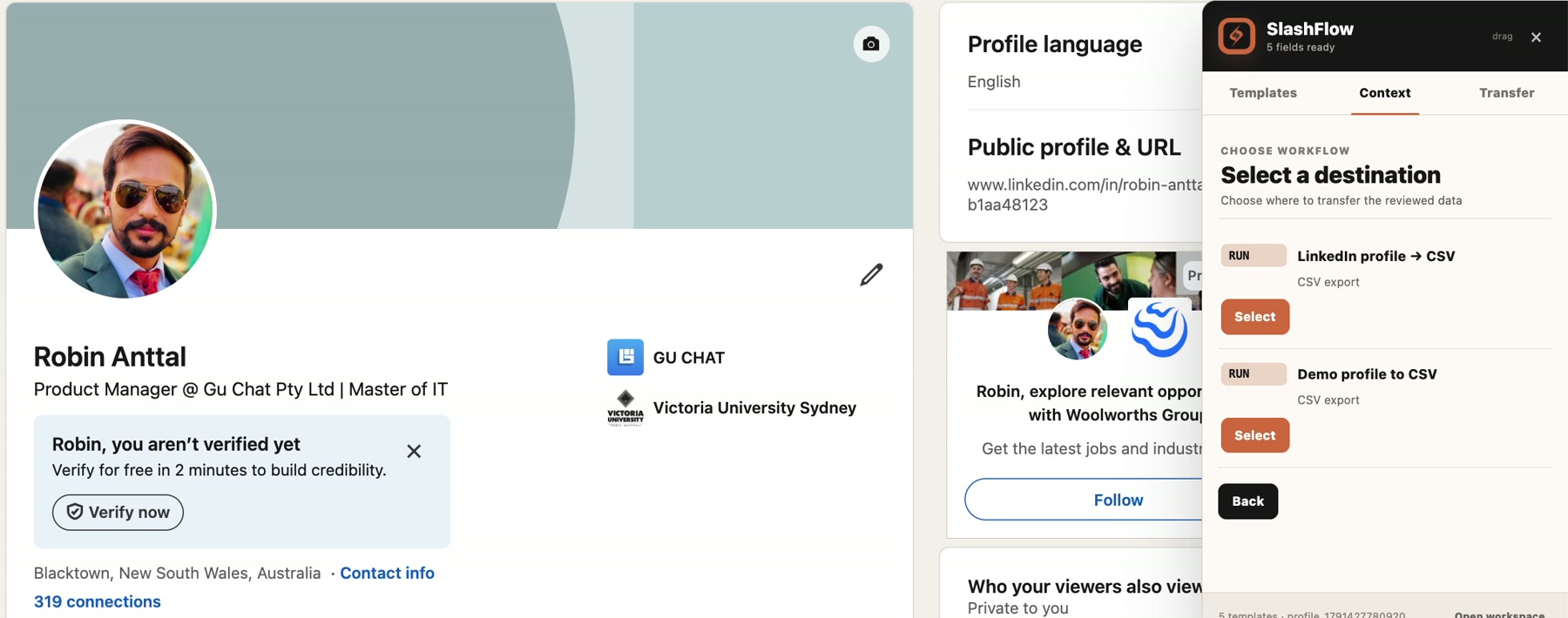
Building a recruiting shortlist? Open a supported LinkedIn profile in desktop Chrome, review the available name, role, company and profile URL, then collect the record for CSV export. Check a whole row against its source before handing it on.
SlashFlow is QuantamQ's Chrome extension for repeated browser work. Save replies as slash shortcuts, reuse saved details in supported forms and choose which local English writing suggestions to apply. You send and submit yourself.
The demo shows review and collection, not the download. Read the CSV download walkthrough (opens in a new tab) for the next steps.
Review the source
Check the visible name, current role, company and profile URL. Leave missing details blank until you can confirm them.
Choose the handoff
Select your CSV workflow and collect the reviewed record. You start each handoff.
Check the row
Open the exported CSV and compare the whole row with its source before sharing or importing it.
CSV export is a manual transfer, not a native CRM or ATS integration. Use information you are authorised to handle.
One workspace for the work you repeat.
For Google Chrome on desktop. Availability depends on the page, editor or form. You stay in control of sending messages and submitting forms.
- Templates and slash shortcuts
- Save reusable replies, introductions and signatures. Insert them in supported text fields, then review and send yourself.
- Context capture
- Capture available page details such as name, company, role and location from supported pages. Review them before reuse; missing fields stay missing.
- Saved profiles and variables
- Keep personal or business details in saved profiles and reuse them in templates.
- Reusable workflows
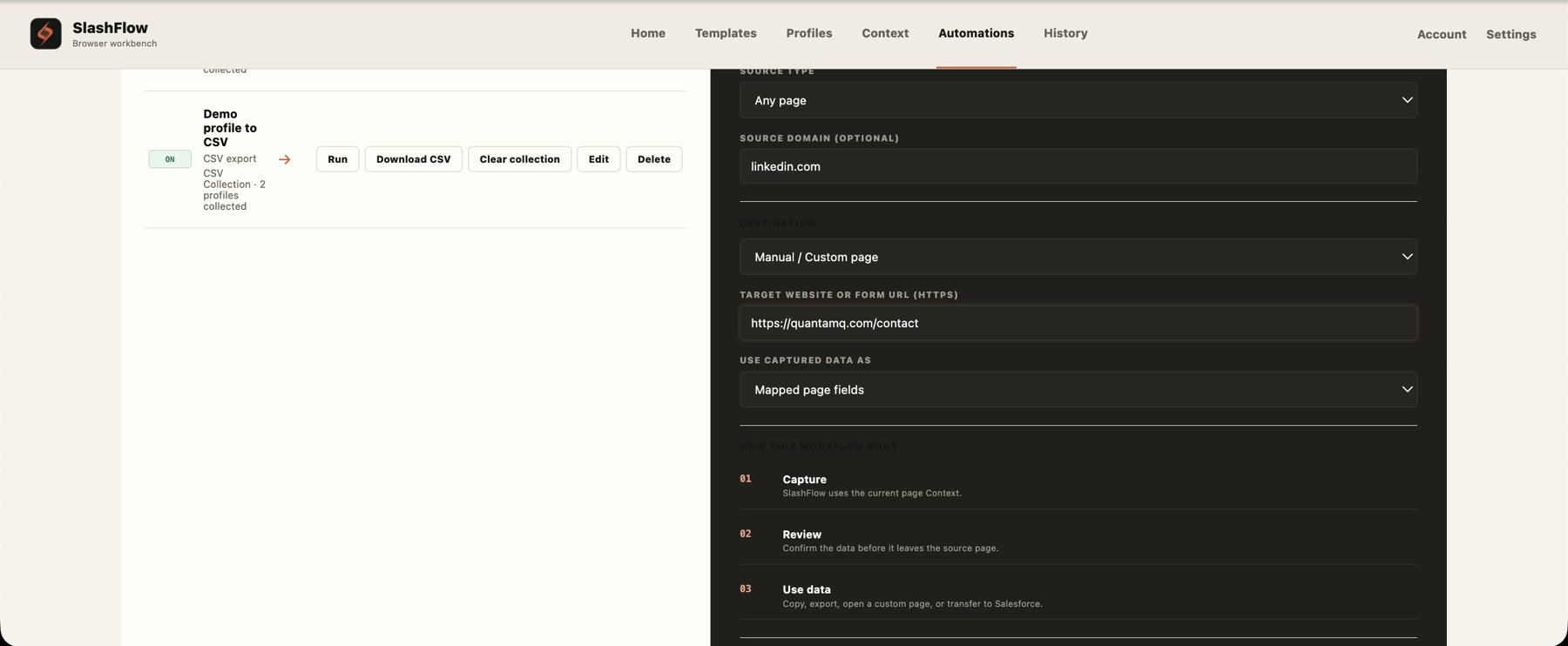
- Save a source, destination and action for a repeatable handoff. You start each workflow and review its output.
- Mapped browser forms
- Map reviewed details into supported form fields, inspect the result and submit the form yourself.
- CSV and clipboard
- Export reviewed information as CSV or copy it through a clipboard workflow. These are manual transfers, not native CRM or ATS integrations.
- Local writing suggestions
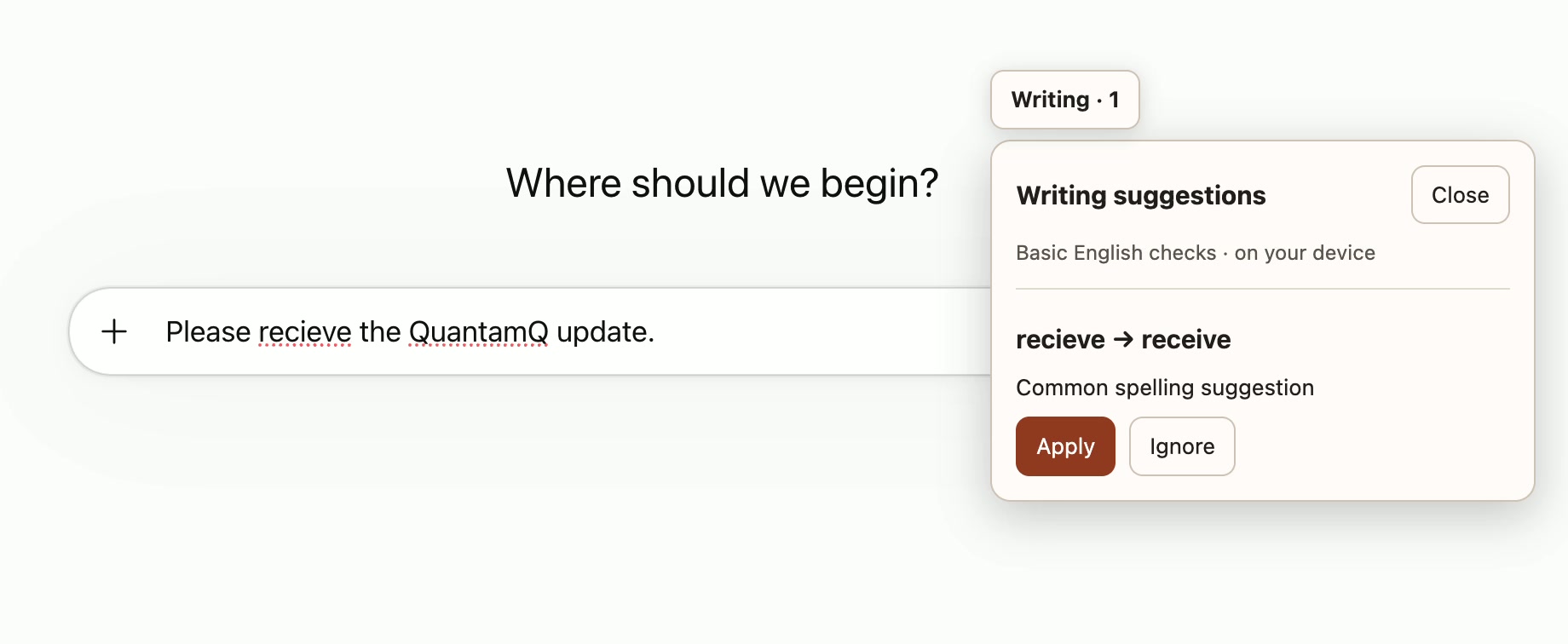
- Opt in to on-device common English spelling and basic grammar checks in supported fields. Choose Apply or Ignore for each suggestion.
Core features require an active trial, subscription or other valid access. See SlashFlow's website for current access options.
SlashFlow support